RoSPA approved
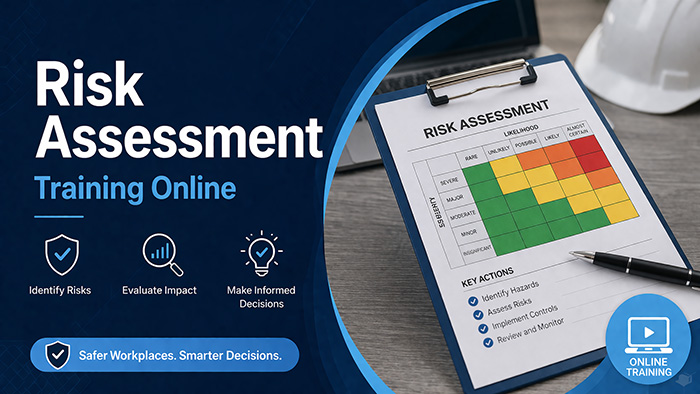
Risk Assessment Training
A clear, practical understanding of how to carry out workplace risk assessments and control hazards effectively.
£14.00

A RoSPA accredited online DSE course that gives employees and employers a clear, practical understanding of how to use display screen equipment safely at work — covering the DSE Regulations 1992, correct workstation setup, ergonomics and DSE risk assessments.


Millions of UK workers use display screen equipment every day, and poor workstation setup is one of the leading causes of work-related musculoskeletal disorders, eye strain, headaches, and fatigue. This RoSPA accredited course covers the legal requirements, health risks, correct workstation setup, DSE risk assessments, and the responsibilities of both employers and employees.
Musculoskeletal disorders, eye strain, and fatigue are among the most common health problems associated with prolonged DSE use, and most of these issues are entirely preventable with the right workstation setup and working practices. The course covers the legal requirements under the Health and Safety (Display Screen Equipment) Regulations 1992 (as amended), the health risks associated with DSE use, how to set up a workstation correctly, how to carry out a DSE risk assessment, and the responsibilities of both employers and employees.
It is suitable for all UK workplaces — including offices, remote and hybrid working environments, call centres, and any setting where employees regularly use computers, laptops, tablets, or other display screen equipment. The course is delivered fully online, allowing learners to complete training at their own pace.
Upon successful completion, learners receive an instant digital DSE Training Certificate, accredited by both RoSPA and CPD, providing recognised evidence of DSE awareness training for employers and compliance records. There are no formal entry requirements — no prior learning, pre-course reading, or previous health and safety qualifications are needed.
By the end of this DSE training you'll be able to understand and apply:
This DSE training course is accredited by RoSPA (the Royal Society for the Prevention of Accidents) and CPD (Continuing Professional Development). Content is developed in line with UK health and safety legislation and current HSE guidance on display screen equipment.
Training material is delivered through clear, structured modules with practical examples and defined learning outcomes — so staff can complete it on any device in around 30 minutes, whether they work in the office or from home.

This DSE awareness course is delivered through 8 structured modules, each focusing on a key aspect of using display screen equipment safely. You can work through them at your own pace and revisit any topic as often as you need.
This opening module explains what counts as display screen equipment, from desktop monitors and laptops to tablets and touch screens used at work. It sets out who is classed as a DSE user and outlines why safe use of screens matters for everyday office and home working. You will gain a clear foundation before moving on to the specific health risks and legal duties covered later.
Here you will explore the common health problems linked to prolonged screen work, including upper limb disorders, back and neck pain, eye strain, headaches and fatigue. The module explains how these issues develop and why early awareness is so important. Understanding the warning signs helps users take action before minor discomfort turns into a more serious musculoskeletal condition.
This module covers the Health and Safety (Display Screen Equipment) Regulations 1992 and the duties they place on employers and workers. You will learn what the law requires in terms of risk assessments, training, eye tests and workstation provision. Knowing these legal obligations helps organisations stay compliant and demonstrate that they take screen-related health seriously.
Learn how to arrange a workstation to reduce strain and support comfortable working throughout the day. The module looks at chair height, monitor position, keyboard and mouse placement, lighting and the space around your desk. Applying these ergonomic principles is one of the most effective ways to prevent the aches, pains and discomfort associated with DSE use.
This module explains how to carry out and review a DSE risk assessment for an individual workstation. You will learn what to look for, how to record findings and how to put practical control measures in place. Regular assessments are a key legal requirement and help employers identify and resolve problems before they affect a worker's health.
Find out about the entitlement to eye and eyesight tests for DSE users and the circumstances in which an employer may need to contribute towards corrective eyewear. The module clarifies how screen work can affect vision and what steps support healthy eyes. This knowledge helps both employers and employees understand their rights and responsibilities around eye care.
This module focuses on maintaining good posture and adopting habits that protect the body during screen work. It covers the importance of regular breaks, changing position, stretching and varying tasks to avoid static strain. Building these simple routines into the working day greatly reduces the risk of fatigue and long-term musculoskeletal problems.
The final module sets out the shared responsibilities that keep DSE use safe. You will learn what employers must provide and how employees should follow guidance, report concerns and look after their own wellbeing. Understanding these mutual duties supports a positive safety culture and helps everyone meet their obligations under the DSE Regulations.

To earn your DSE Training Certificate, you'll complete a multiple-choice final assessment with a pass mark of 80%. If you do not pass on your first attempt, you can retake the assessment as many times as needed at no extra cost.
Upon successful completion, you'll receive an instant digital DSE Training Certificate, accredited by both RoSPA and CPD, issued immediately upon successful completion. The certificate is available to download straight away as evidence of training for employers and compliance records — with no need to wait for anything in the post.
Poor workstation setup is one of the leading causes of work-related musculoskeletal disorders, eye strain, headaches and fatigue — and these issues are almost entirely preventable. This course helps both employers and employees meet their legal obligations and create a safer, more comfortable working environment. It is ideal for:
Building a wider safety system? Pair this with our Risk Assessment Training, or cover lifting and carrying with Manual Handling Training.
Buy, assign and manage DSE training across your whole team — all from one place.
Discounts apply automatically at checkout and scale with your order. Mix and match different courses across your team — the discount applies to your whole basket.
Buy the licences you need now and assign them to staff whenever it suits — add team members by email and they'll get their own login.
A simple manager dashboard shows who has started, who's in progress and who has passed — so you can follow up before an inspection.
Download every team member's certificate from one account and export a training record for inspections or internal audits.
Pay by card for instant access, or get in touch about invoicing and purchase orders for larger team orders.
Our team is on hand to help with enrolments, dashboards and invoicing. Call 0800 852 7229.
 .Bulk pricing & team discounts
The more licences you buy, the more you save — and discounts apply across your whole order, including mixed courses.
Discounts are applied automatically at checkout based on your total quantity.
No — your course credits never expire until they're used. Buy now and assign them to staff whenever you're ready.
DSE training — also known as display screen equipment training or VDU training — teaches employees how to use computers, laptops, tablets, and other screen-based equipment safely. It covers workstation setup, ergonomics, the health risks of prolonged DSE use, and the legal requirements under the Health and Safety (Display Screen Equipment) Regulations 1992.
Under the Health and Safety (Display Screen Equipment) Regulations 1992, employers have a legal duty to assess workstations, reduce risks, and provide information and training to employees who regularly use display screen equipment. DSE training helps employers meet these legal obligations.
DSE training is suitable for anyone who regularly uses a computer, laptop, tablet, or other display screen equipment as part of their work. This includes office-based workers, remote and hybrid employees, call centre staff, data entry teams, and managers responsible for workstation assessments.
The course takes approximately 30 minutes to complete. It is delivered fully online, so you can work through the modules at your own pace, pausing and resuming as needed.
Upon successful completion, you will receive an instant digital DSE Training Certificate, accredited by both RoSPA and CPD. Your certificate is available to download immediately and can be used as evidence of training for employers and compliance records.
No. There are no entry requirements for this course. No prior learning, pre-course reading, or previous health and safety qualifications are needed. The course is designed to be accessible to all learners.
The final assessment has a pass mark of 80%. If you do not pass on your first attempt, you can retake the assessment as many times as needed at no extra cost.
Yes. This DSE training course is fully suitable for remote and hybrid workers. Employers have the same legal duty to ensure home workstations are safe and properly set up as they do for office-based employees. The course covers workstation assessment principles that apply to any work environment.
The certificate does not carry a fixed expiry date. However, it is good practice to refresh DSE training periodically — and to repeat a workstation assessment whenever an employee changes desk, equipment or working arrangements, such as moving to home working. Many employers schedule refresher training every one to two years to keep awareness current.
Yes. Buy multiple licences in one order and you'll get a management dashboard to assign courses to staff by email, track who has started, who is in progress and who has passed, and download every certificate from one account. Bulk discounts apply automatically across your whole order — 10% off 10+, 20% off 50+, 30% off 100+ and 40% off 500+ — and you can mix and match any of our courses.
Other accredited Health & Safety courses teams often take alongside DSE.
A clear, practical understanding of how to carry out workplace risk assessments and control hazards effectively.

Meet UK manual handling requirements — covering risks, safe lifting techniques and the law for any workplace.
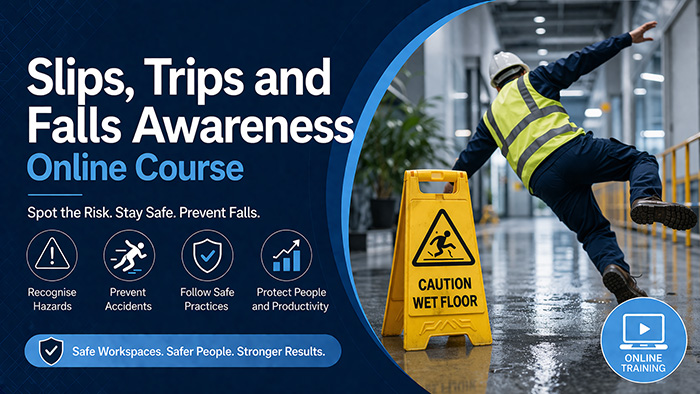
Recognise and control the most common causes of workplace injury across offices, retail and beyond.
Instant access, learn at your own pace, and download your RoSPA accredited DSE Training Certificate the moment you pass — for just £14 per learner.
Pick any mix of courses. Discounts apply automatically based on total seats.
Add 10 or more seats to unlock 10% off.